Property portfoliosoftware that showswhat each home earns.
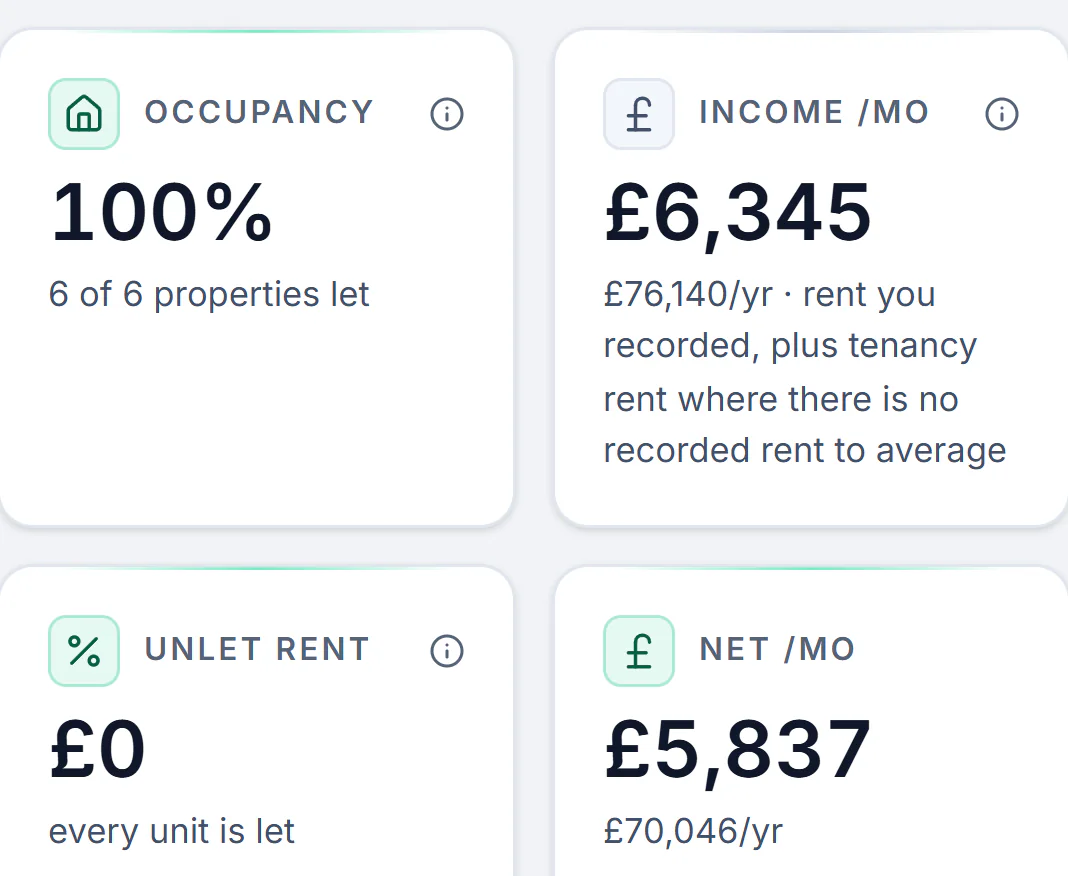
See every rent come in and what each home really leaves you. The whole let runs from the same login: tenants found and referenced, rent by Direct Debit, repairs, and the figures ready for HMRC.
Landlord portfolio software keeps every rental property, tenancy, rent payment and cost in one account, so you can see what each home earns without a spreadsheet. LetCompliance does that and runs the rest of each let too, from the tenant search to the quarterly update for HMRC, from £7.99 a month for one home and £14.99 for up to three.
Every rent in, on its own day.
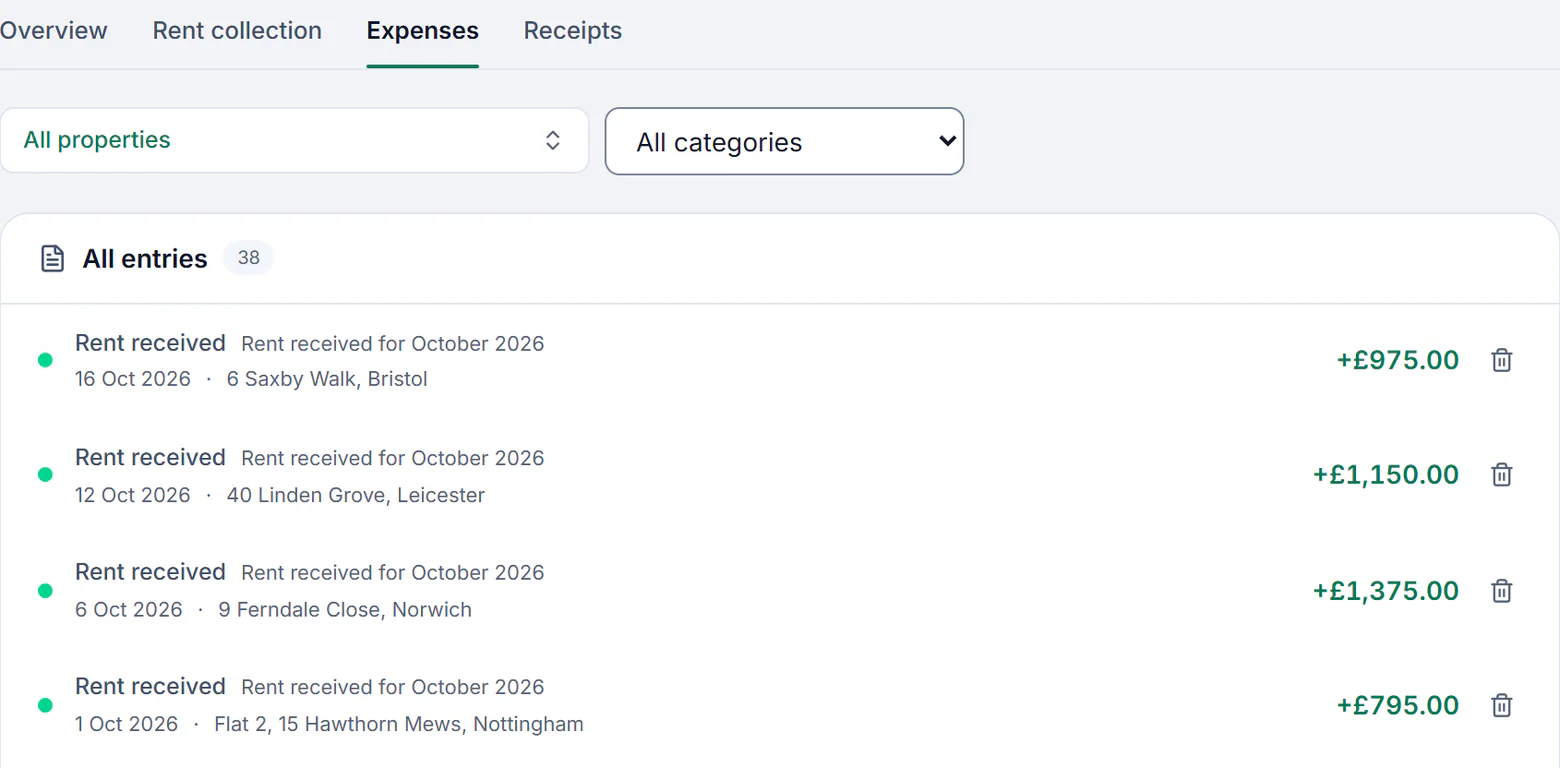
Each tenancy keeps its own rent and rent day, weekly, fortnightly, four-weekly or monthly. Rent paid by Direct Debit goes into your own Stripe account and is posted to the right home; rent paid another way you confirm for the whole portfolio in one go, and anything late shows as owed.
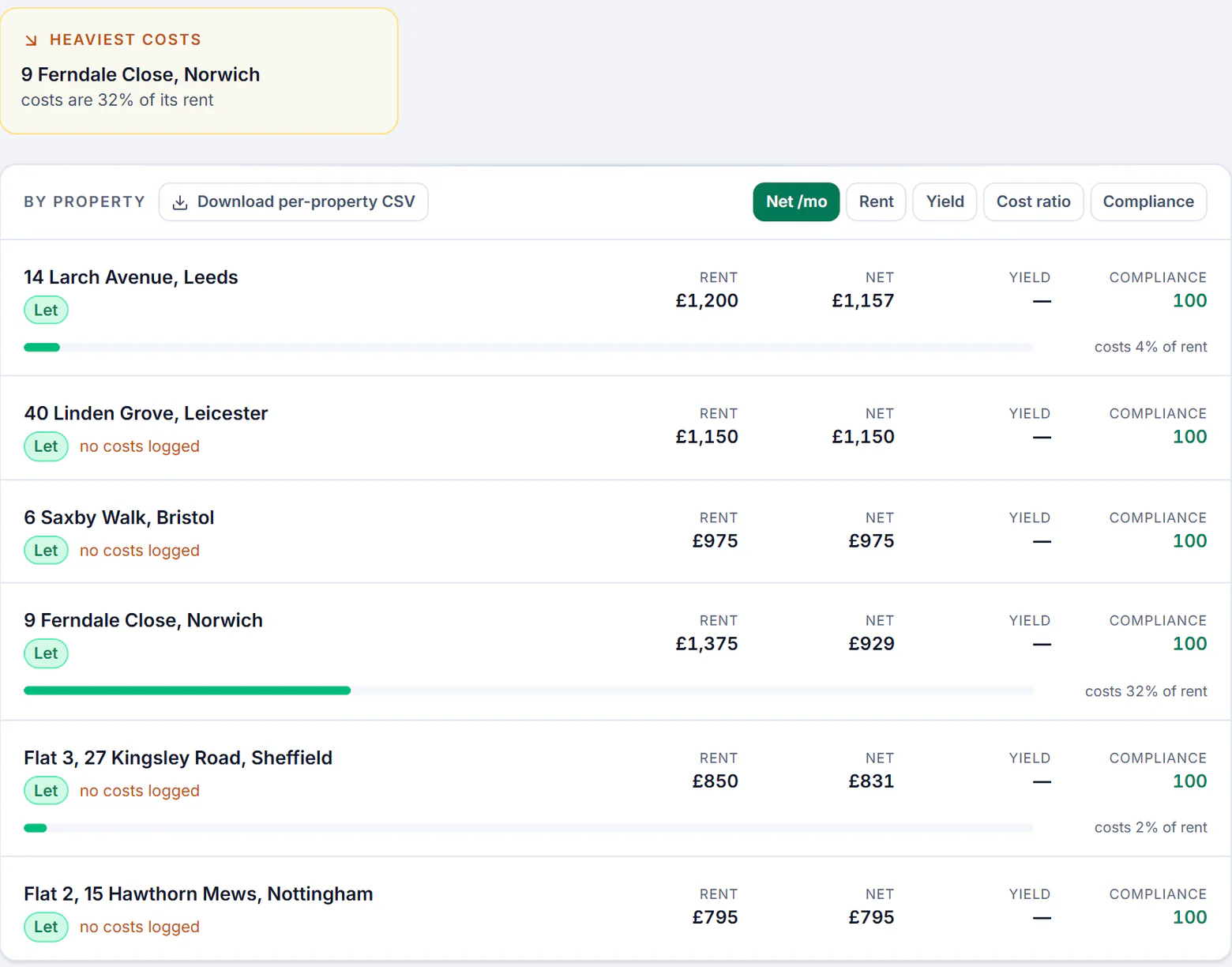
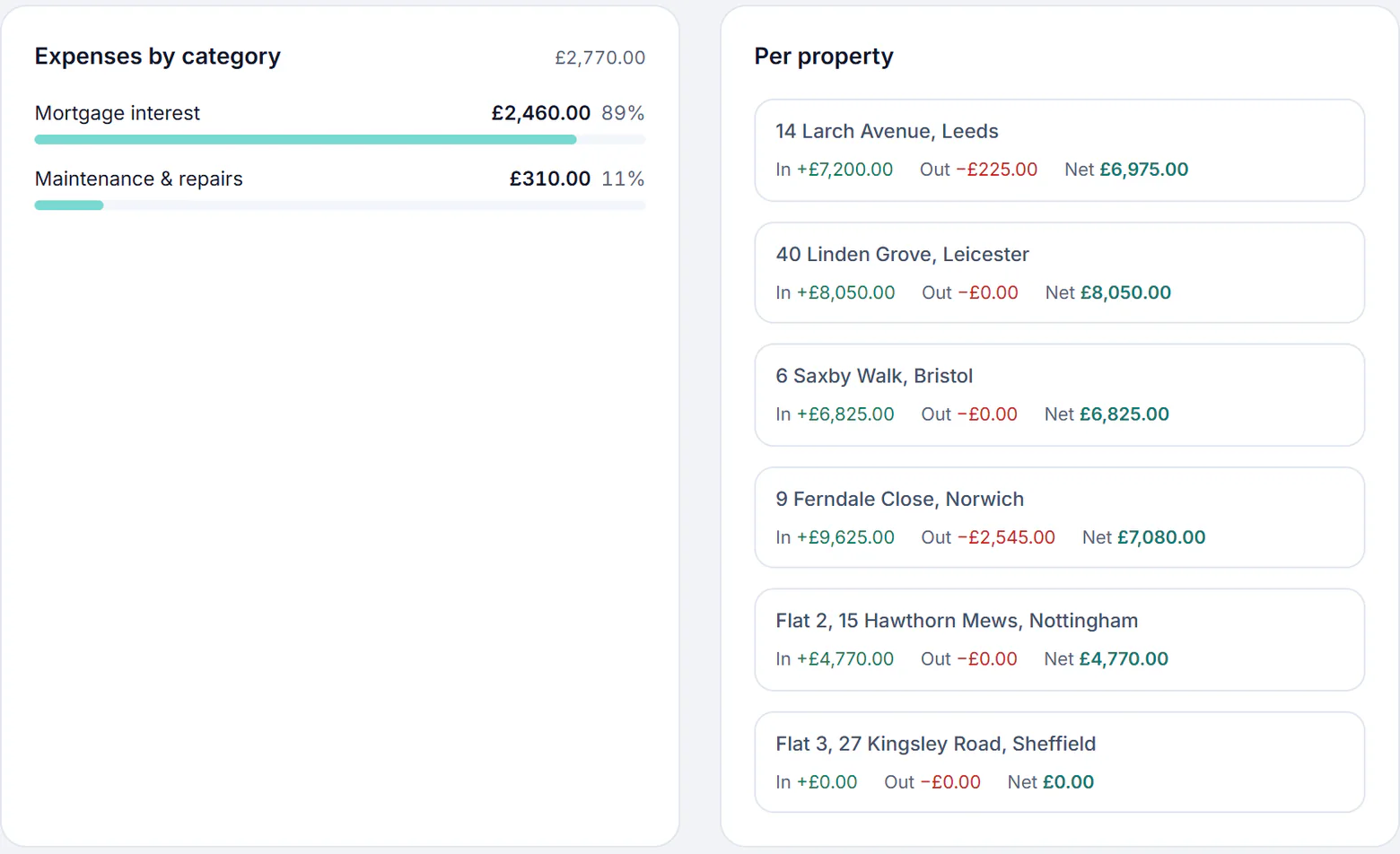
Insights puts the homes in order of what they net a month, with each one’s rent and costs beside it, and the home whose costs take most of its rent at the top. Add a value and the mortgage balance, and the equity and loan to value are worked out for each home too.
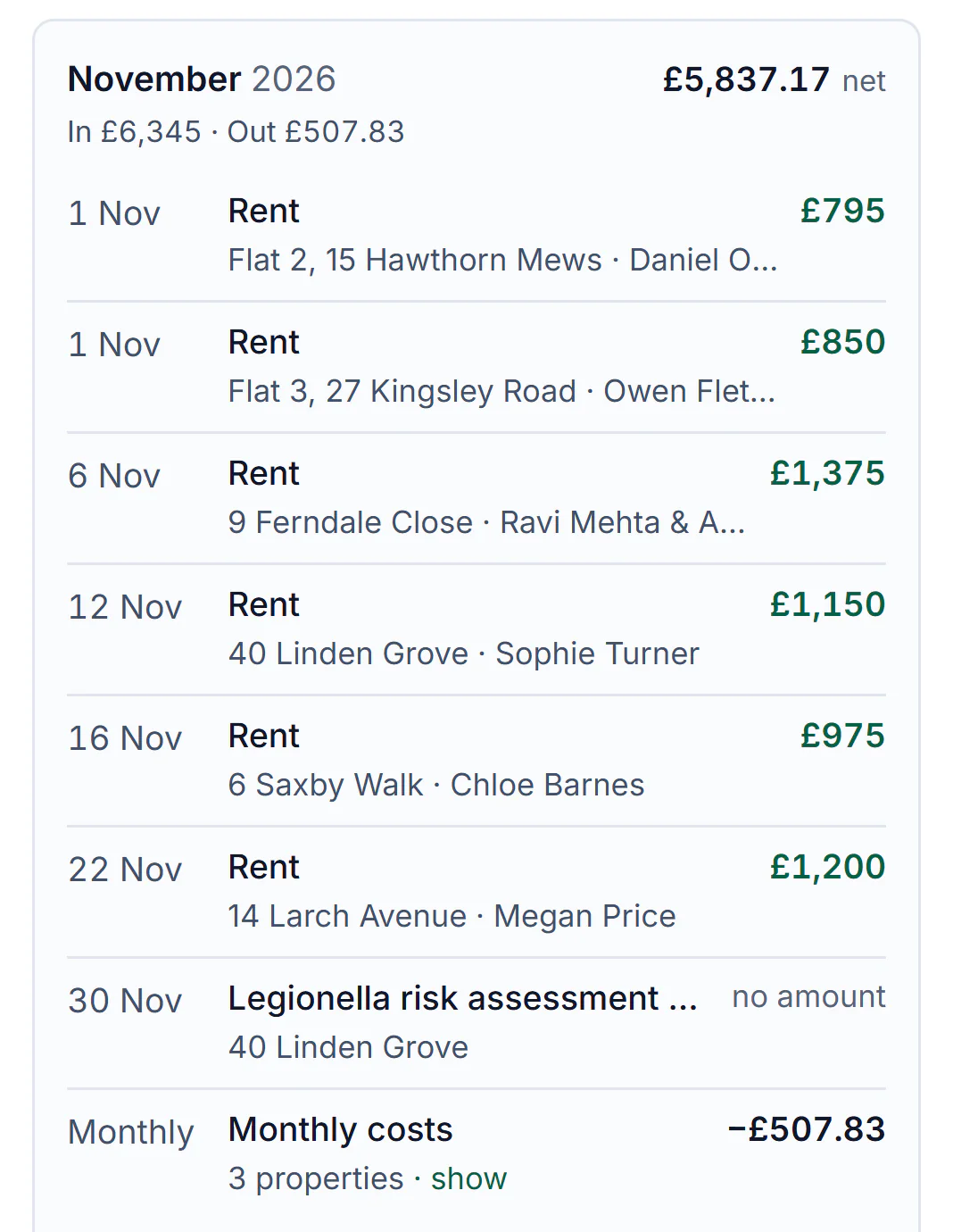
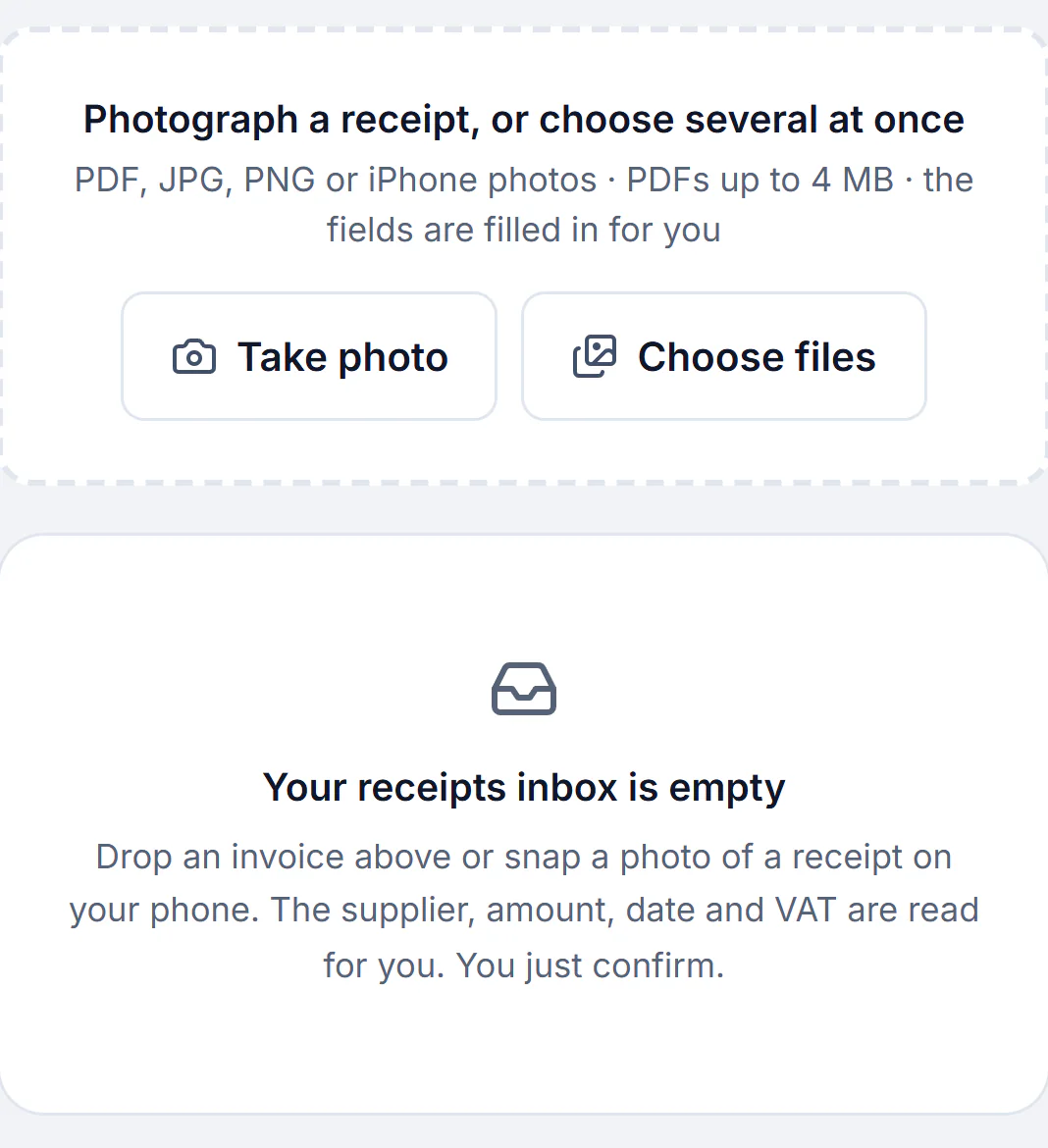
Photograph a receipt and the supplier, amount, date and VAT are read for you to confirm. A repair logged once for several homes has its cost split between them, and Finance shows each home’s money in, money out and net for the tax year.
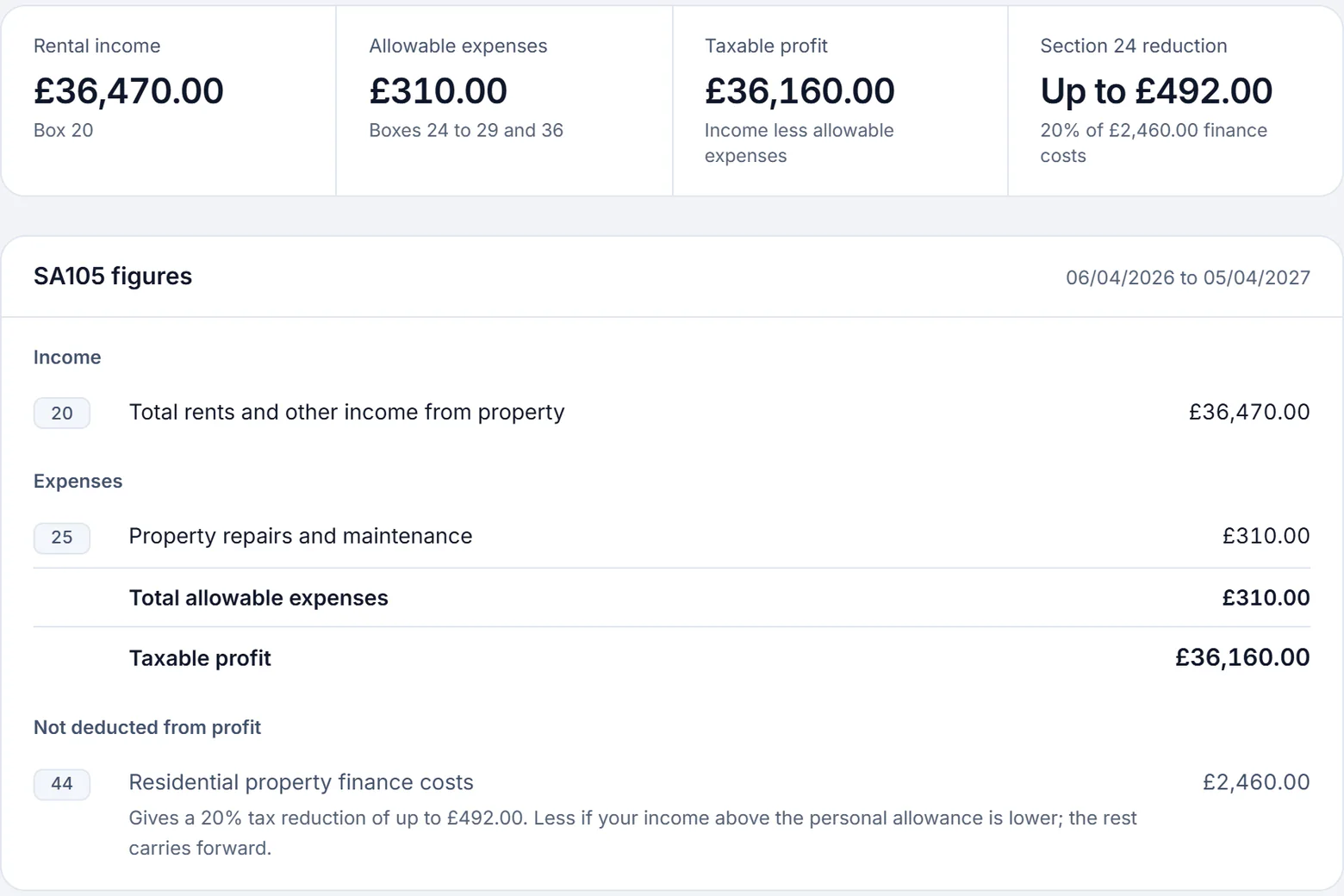
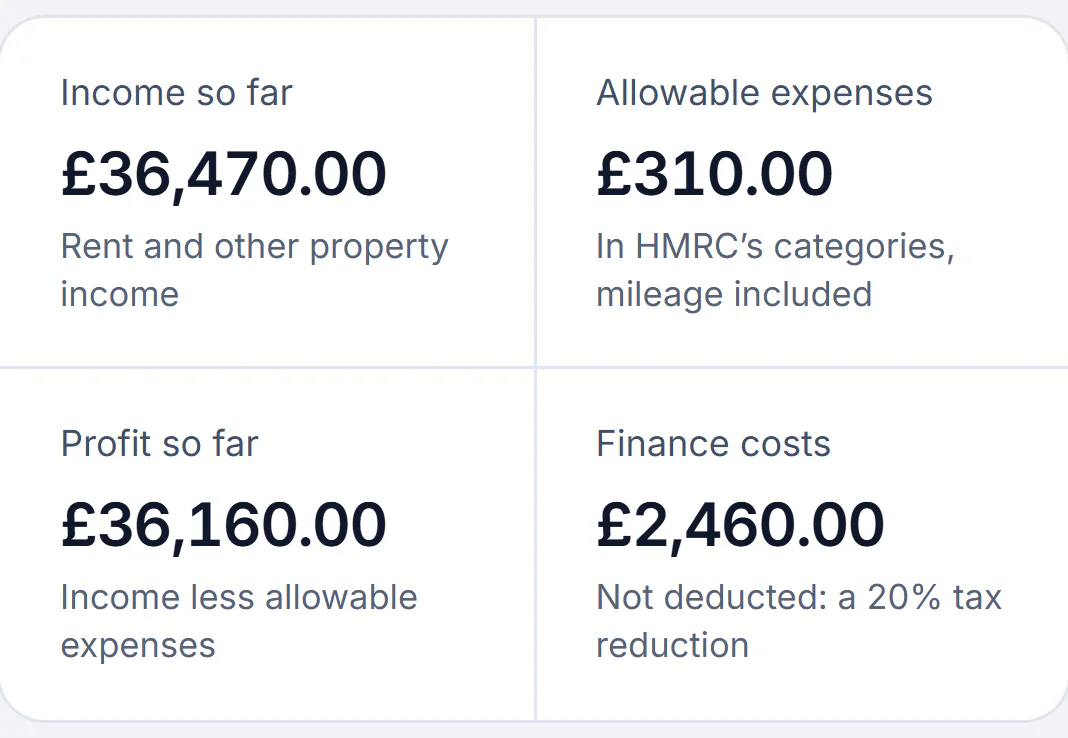
Every home in your own name is one UK property business to HMRC, so the quarterly update for Making Tax Digital covers them all at your ownership share, and company-owned homes stay out. The SA105 boxes come from the same records, with mortgage interest in box 44 as a tax reduction.
Everything else a portfolio needs, in the same login.
The properties table and the bulk tools come with Portfolio and above. Everything else here is on every paid plan, except referencing, which is paid per check.
Bring the spreadsheet in
One row per tenant, with the rent, how often it is due, the deposit and the certificate dates, and each home’s value, mortgage balance and lender. Nothing is saved until you have checked it.
Or email the file, and the homes are brought in for you.
One board with each tenancy’s rent, when it last went up and the earliest date a Section 13 rise can start, and each Form 4A filled in from its tenancy.
One private feed for Google, Apple or Outlook with rent days, renewals, mortgage deal ends, inspections and viewings, and no tenant’s contact details in it.
In the background, across every home: gas safety, EICR and EPC dates read from your certificates with a reminder before each, each deposit’s 30-day protection deadline, and bulk reminders with a portfolio-wide pack on Portfolio and above. How compliance is kept
Sample account with made-up details, 16, 17 and 21 Oct 2026
From £7.99 a month, not 12% of your rent.
Plans are one price for each size of portfolio, counted in homes, not rooms or tenancies, so an HMO counts as one. Solo is £14.99 a month for up to three, Portfolio £19 for up to ten, Portfolio Plus £29 for up to twenty and Professional £49 with no cap.
Full management costs 12% to 21.6% of the rent on agents’ own lists: £10,368 to £18,662.40 a year across six homes on a £1,200 rent each.
£10,368£18,662.40
£228
Running all six yourself on Portfolio costs£228a year.
Billed yearly, the Portfolio plan is £152.
An agent also goes to the viewings and visits the property for you.
One spreadsheet brings every home in with its tenants, its rooms and its certificate dates. You see what it will create before anything is saved, and a home already imported is recognised if the file goes in again.
Fill in the template
One row per tenant. Repeat the address for joint tenants, and once for each room of an HMO with the room in its own column; a room with no tenant comes in empty. Only the first line of the address, the town and the postcode are required, and the rest, from the rent and the deposit to the certificate dates and the mortgage, is read where it is filled in.
Save it as a CSV and upload it
Excel and Google Sheets both save a sheet as CSV. A CSV exported from other landlord software can go in as it is when its columns carry the usual names, such as Address, Town, Rent pcm or Tenant, because those are read as the template’s own.
Check what it will create
Before anything is saved, the import counts the properties, tenants, HMO rooms and landlords in the file and lists each home with its tenants, rent and certificate dates. A row it cannot read is shown with the reason, a column it does not know is named, and a tenancy end date is pointed out, because it stops the rent.
Import, then fix what was held back
A row with a problem is skipped, and so is the rest of its home, so a house never comes in short of a room. Fix the row and upload the same file again: the homes already imported are recognised and not added twice. Later, the same file updates the certificate dates, licences, mortgages and costs of the homes you have, with every change shown before it is made.
To see the shape first, download the sample file: four made-up rows, a flat with joint tenants and an HMO with a let room and an empty one, under every column of the template.
Past rent and costs are not part of this file. A bank statement saved as CSV goes in on the Bank statements page instead, each line matched to a rent or a cost for you to confirm.
If the sheet is fiddly, email it to hello@letcompliance.com and the homes are brought in for you.
The whole property portfolio in one view, compliance included
Compliance across a property portfolio means seeing every home at once: what each one scores, what falls due next and which certificate or deposit is behind. LetCompliance shows that in the account that already runs the tenancies, collects the rent and prepares the tax, so a gas safety date and a late rent sit in the same list.
What is due next, across every home
Next actions, on the dashboard, is one list for the whole portfolio: rent overdue, a deposit to protect by its date, a certificate past its date or due within 30 days, a repair a tenant reported, keys overdue back, an agreement not yet sent. A missing date or a new certificate can go in from the dashboard itself.
A score for each home, and one for the portfolio
Each home scores from 0 to 100, in equal shares across the records that apply to it: gas safety, the EICR, the EPC, the deposit, Right to Rent, the fire risk assessment, legionella, the property licence and the smoke and carbon monoxide alarm check. A record with more than 30 days left counts in full, one inside 30 days counts half, and one expired or never entered counts nothing; a record marked not applicable, such as gas safety where there is no gas, is left out. The dashboard gives the portfolio’s score, the average of every home’s, and the Compliance page counts the homes at 90 or more, 70 to 89 and under 70, then splits what holds the score down into overdue, not recorded and due soon, each opening its own list.
Every certificate and licence in one list
Gas safety, EICR, EPC, fire risk, legionella and property licences for every home, soonest first, with anything overdue or undated always on it. Filter by type, by the next 30 days, 90 days or six months, or by status, and download the list as a CSV for a contractor. A reminder email goes 90, 30, 14, 7 and 1 days before each certificate runs out, and any step can be switched off.
Every deposit in one register
One row for each tenancy’s deposit across the portfolio: the amount, the scheme, the day it was received and the day it was protected, the Prescribed Information and the return after the tenancy. In England a deposit must be protected, and the Prescribed Information given, within 30 days beginning with the day it is received, so the register picks out any not protected in time or with no Prescribed Information recorded, and a reminder email goes 14, 7 and 1 days before the last day.
The score, Next actions, the certificate list and the deposit register come with every plan. The rent page an overdue rent row opens needs a paid plan or the trial. On Portfolio and above, the properties table also sorts every home by its score, beside its rent and arrears, and downloads it as a CSV. Home by home, see how a property’s score and reminders work.
Tag and group the properties in a larger portfolio
On Portfolio and above, put your own tags on properties, group the properties table by what matters to you and save the views you open every week.
Your own tags, several to a home
A tag is a label you choose, such as a town, “Mum’s houses” or “For sale”, and one home can carry several. Add them on the property’s Edit page, or to many homes at once from the properties table. You can keep up to 100 tags of up to 40 characters each, and deleting a tag never deletes a property.
Filter five lists by tag
The properties table, the tenants page, the rent page’s list, certificate renewals and the dashboard calendar each have a tag filter that narrows them to the homes carrying that tag. The figures at the top of the rent page still count every home.
Group by tag, owner, type or let status
The properties table groups by town, postcode district, tag, legal owner, property type or let status. Grouped by legal owner, homes in your own name sit under your name with any joint landlords recorded on them, and a home held in a company sits under the company name entered on it. A home marked as not in your tax return stands apart, a home with two tags shows under each, and the tenants page groups by tag too.
Saved views
Save the filters, grouping and sort of the properties table or the tenants page under a name, and open it again from Views. Each page keeps up to 30, and only the person who saved a view sees it.
Tags in the downloads
Once a tag exists, the CSV of the properties table, the tenant contact list, the rent page’s list and certificate renewals each carry a Tags column.
Managing a buy-to-let portfolio means the same jobs repeated for every home: collecting each rent on its day, recording each cost against the home it belongs to, knowing what each home and the whole portfolio makes, and reporting it to HMRC. Software takes the sums and the dates off you, so the work becomes checking rather than typing. LetCompliance does all of it from one login, and runs the rest of each let around it.
How it works, step by step
Bring the portfolio in once
Save the spreadsheet you already keep as a CSV, one row per tenant, and import it. The rent and how often it is due, deposits, certificate dates, value, mortgage balance and lender come in on the same rows, and nothing is saved until you have checked it. If the sheet is fiddly, email it and the homes are brought in for you.
Let the rent come in by itself
From the rent page, send the Direct Debit request to every tenant not yet asked in one go. Each agrees it from a link without making an account, the rent is collected on that tenancy’s own day into your own Stripe account, and each payment is posted to its home.
No commission is taken on the rent. Stripe charges 1% of each Direct Debit payment with a 20p minimum and a £4 cap, and £5 for a disputed payment.
Record each cost against its home
Log a cost by hand, or photograph the receipt and confirm what is read from it. Mortgage interest, repairs and the rest go into HMRC’s own categories, and a repair logged once for several homes has its cost split between them, so each home’s net is right.
Read the figures, then send them
Finance and Insights show each home’s net and the portfolio’s, month by month and for the tax year. Once you have signed up for Making Tax Digital, connect your Government Gateway account once, and each quarter’s update is built from the same records.
Sample account with made-up details, 18 Oct 2026
The UK rules a portfolio runs on
One property business for tax
HMRC treats every home you let in the UK as part of one property business, however many there are, and works out its profit across them all. That is why Making Tax Digital with several properties means one quarterly update, not one for each home.
You must use it from 6 April 2026 if your qualifying income, rent and any self-employed income before expenses, was over £50,000 on your 2024 to 2025 tax return; from 6 April 2027 the line is £30,000, and from 6 April 2028 £20,000. Only your share of a home you own with someone else counts.
For homes let in your own name, mortgage interest and other finance costs are not taken off the rent: the relief is a reduction in your tax at the basic rate. A home’s net in Finance is cash in and out, and the taxable profit is worked out in the tax pack; the Section 24 calculator shows what the restriction costs you.
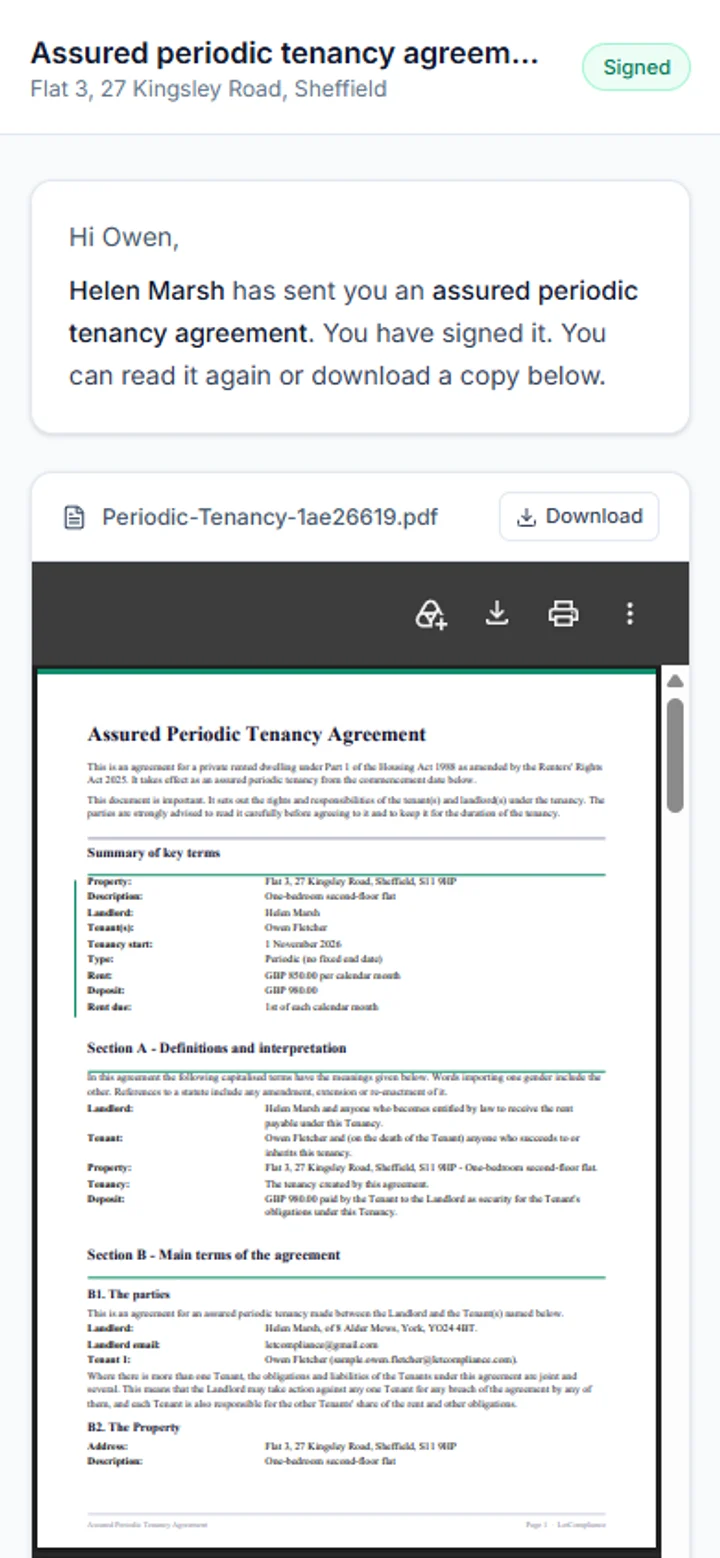
In England a landlord raises an assured periodic tenancy’s rent with a Section 13 notice on Form 4A, served at least two months before the new rent starts, and the new rent cannot start sooner than 52 weeks after the tenancy began or the last rise took effect. One notice cannot cover several tenancies, so every tenancy runs on its own clock.
A gas safety check every 12 months where there is gas, an electrical inspection at least every five years, and each deposit protected within 30 days of receiving it. Across a portfolio those dates never line up, so LetCompliance keeps each one against its home.
What it costs: an agent, a spreadsheet or LetCompliance
For six homes let at £1,200 a month each, full management at 12% to 21.6% on agents’ own published lists comes to £10,368 to £18,662.40 a year, VAT included, and an agent also goes to the viewings and visits the homes for you. A spreadsheet costs nothing to keep, but every rent is ticked off and every sum done by hand, and HMRC takes Making Tax Digital updates from a spreadsheet only through bridging software that links to it. Read where a spreadsheet stops being enough for the longer answer. Portfolio is £228 a year paid monthly, or £152 billed yearly, for up to ten homes, with no VAT added.
About running several buy-to-let homes in one place, the price and the tax side. Something else? Ask a question
What is landlord portfolio software?
It is software that holds every rental property, tenancy, rent payment and cost in one account and does the sums a spreadsheet leaves to you: what each home earns and costs, what the whole portfolio nets, and every rent day and renewal in one calendar. LetCompliance also runs the rest of each let, from adverts and referencing to repairs and Making Tax Digital.
How do I manage multiple rental properties?
Keep one record for each home and each tenancy, let each rent come in on its own day, and log every cost against the home it belongs to. Then work in batches rather than home by home: confirm a month of rent in one go, review every tenancy’s rent on one board and plan inspections as a round. LetCompliance is built around those batches, and on Portfolio and above the properties table sorts and filters the lot.
Can I see the profit on each rental property?
Yes. Finance shows each home’s income, costs and net for any tax year, and Insights puts the homes in order of what they net a month, with the cost ratio beside each and a CSV of the same figures. Add a value and the mortgage balance and it works out equity and loan to value too, or uses a labelled HM Land Registry index estimate where you have not entered a value.
Do I need a separate Making Tax Digital update for each property?
No. HMRC treats all the homes you let in the UK as one property business, so one quarterly update covers them all. LetCompliance builds it from your records at your ownership share and leaves company-owned homes out. It is recognised by HMRC for Making Tax Digital for Income Tax, for UK property income, on every paid plan.
Can I import my properties from a spreadsheet?
Yes. Save the sheet as a CSV with one row per tenant, repeating the address for joint tenants and for each room of an HMO, and import it. Rent, deposits, certificate dates, value, mortgage balance, lender, ownership share and tax treatment come in on the same rows, and nothing is saved until you have checked it. Run it again later to update the homes already there.
Can I keep limited company and personal properties separate?
Yes. Mark whose tax return each home belongs in: yours, a limited company’s or neither. Company-owned homes stay in the portfolio, the rent and the reports, and stay out of your SA105 figures and your Making Tax Digital updates.
Can my accountant see the portfolio?
Yes, without your password. A read-only link opens your tax figures, ledger and receipts for any of the last six tax years, with no account to create; it lasts 30, 90 or 180 days and you can switch it off at any time. Professional also includes up to three read-only team seats, each with their own login: an accountant, or a partner who wants to see the portfolio. Nobody on a seat can change anything.
Does it handle HMOs alongside single lets?
Yes. An HMO is one property with its rooms: each room keeps its own tenants, rent and arrears, while the gas safety record, EICR and licence sit on the house. It counts as one property toward the plan however many rooms it has.
Can I see compliance across the whole portfolio?
Yes, in the same account that runs the tenancies, the rent and the tax. Each home scores from 0 to 100, the dashboard shows the portfolio’s score and what falls due next across every home, and one list holds every certificate and licence, soonest first, with every deposit in a register of its own.
Is there a trial with my whole portfolio?
Yes. Every new account gets 3 days with no card and no limit on properties, so you can import the whole portfolio and see it working. Making Tax Digital, the tax pack, the Section 8 and Section 13 notices and the possession tracker open once you choose a plan.
Does it cover properties in Wales or Scotland?
No. The notices, deadlines and rules follow the law in England. Wales, Scotland and Northern Ireland run different tenancy law, and they are not covered.
How much is portfolio software for landlords?
Solo is £14.99 a month for up to three homes, Portfolio £19 for up to ten, Portfolio Plus £29 for up to twenty and Professional £49 with no cap, each cheaper billed yearly and with no VAT added. The free plan is £0 for one property and keeps rent tracked on the tenancy with receipts, the tenant portal with repairs, the certificate dates with email reminders and the 0 to 100 compliance score. Making Tax Digital and Direct Debit collection need Single.
Hi there 👋
How can LetCompliance help?
Send a message, read what's new, or find a quick answer below.