About LetCompliance
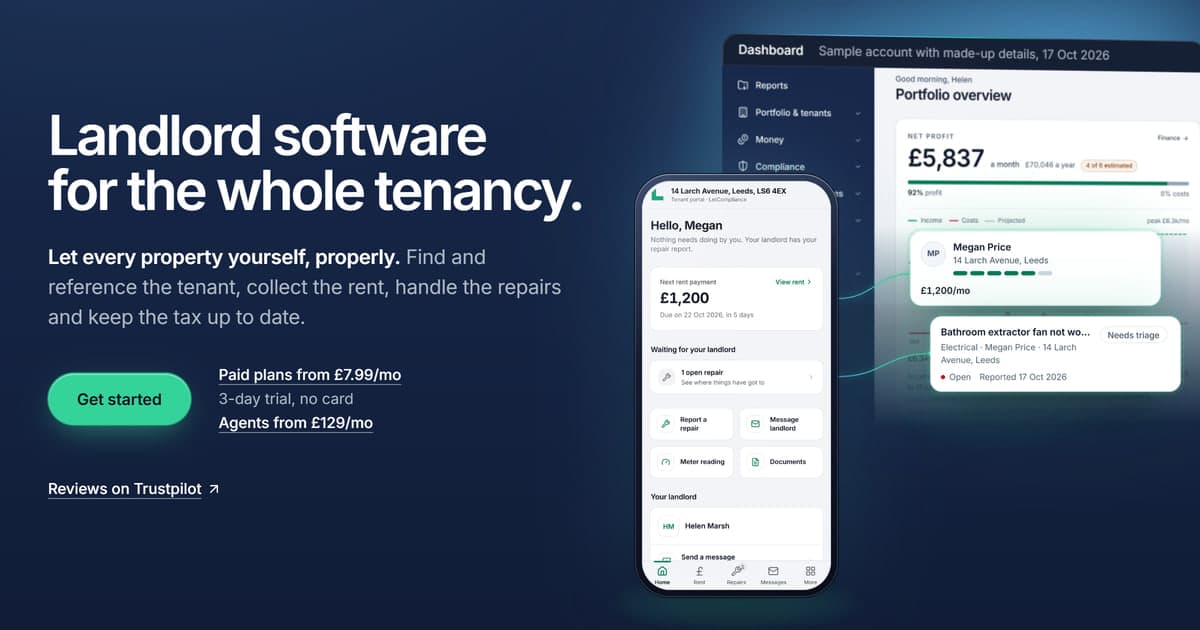
LetCompliance is landlord software for the whole let
- Founded
- 2026
- Built for
- England
- Plans from
- £7.99 a month
What it runs, in order
- 01Advertise the property and take applications.
- 02Reference the tenant and sign the tenancy online.
- 03Collect the rent and chase the arrears.
- 04Handle the repairs, certificates and notices.
- 05Send the Making Tax Digital updates to HMRC.

The person behind it
Built by a landlord, for landlords.
LetCompliance was founded by a landlord who knows first-hand what it costs to juggle an agent, a spreadsheet and a handful of reminder apps just to run a let. It puts all of it behind one login: advertise the property, take applications, collect the rent by Direct Debit, run the repairs and send the tax updates to HMRC, with every certificate and notice kept in order, each taken straight from GOV.UK.
LetCompliance is built and run by its founder, Erdem Volkan, trading as a sole trader from Cheshire, England. It is made for the private rented sector in England and the law landlords and agents there work under. For anything formal, write to hello@letcompliance.com.
If LetCompliance stops trading
LetCompliance is run by one person, so it is fair to ask what would happen to your rent and your records if it stopped trading. The rent money is not held by LetCompliance at all, and you can download a copy of your records.
Rent by Direct Debit is paid into your own Stripe account
It is a standard Stripe account of your own, which you can sign in to at stripe.com without LetCompliance. The rent collected is paid into it, and your tenants’ Direct Debit mandates are saved in it too. The money never passes through LetCompliance.
You can download your records
In Settings, Export my data downloads a copy of your properties, tenants, certificate dates, rent, income and expenses, and the figures sent to HMRC, including any property locked on the free plan. Documents download as a zip of up to 100 files at a time, each file as you uploaded it (Right to Rent copies open one at a time). These downloads run on LetCompliance, so it is worth keeping a recent copy of your own. When the last person signs an e-signed document, the finished PDF is emailed to you and to everyone who signed, so you already have that copy.
Your Making Tax Digital updates are held by HMRC
Each quarterly update is sent to HMRC and held by HMRC, so it does not depend on LetCompliance. Your HMRC online account says in its recent activity that you sent it, and the figures sent are in your data export as well. If LetCompliance stopped, you would send the next update from other software that works with Making Tax Digital.
Deposits are never held by LetCompliance
You protect a deposit with your scheme, not with LetCompliance. LetCompliance keeps a record of the protection and its dates, and never takes or holds a deposit or a holding deposit.
What would stop
Anything that runs on LetCompliance itself: the app, the email and text reminders, the tenant portal, and the links you have sent for signing or to your accountant. That includes Direct Debit collection. Each collection is started by LetCompliance when the rent falls due, not by Stripe, so LetCompliance would start no new payment and the rent would need collecting another way.
At least 90 days of notice if it ever closes
If LetCompliance ever closes, every customer is told by email at least 90 days before the closing day, and the app stays open for downloads until then. On a yearly plan, the whole months left after the closing day are refunded.
Why it exists
Running a let in England has turned into a stack of separate tools: a portal to advertise, a referencing site, a spreadsheet for the rent, a reminder app for the certificates and software for the tax. Each holds part of the picture, none of them talks to the others, so details get typed twice and dates get missed. LetCompliance puts the whole let on one record per property and tenant, from the first enquiry to the tax return.
Who it is for
Private landlords in England, from one flat to a large portfolio, and the letting agents who manage property for them, including agencies with several branches. It is built around how tenancies in England work now, under the Housing Act 1988 as changed by the Renters’ Rights Act 2025, not a property management template from another country adapted to fit.
What it is, and what it is not
LetCompliance is landlord and property management software. It covers the lettings, the rent and arrears, the repairs, the certificates, the notices and the tax, including Making Tax Digital quarterly updates as software recognised by HMRC for UK property income, and it books property services from the same account. It is not a law firm and does not give legal or tax advice, and it does not connect to your bank through Open Banking. It points to the legislation and GOV.UK, and the landlord remains the one responsible.
Your data
Your portfolio is processed under UK GDPR and only to run the service. It is encrypted in transit with TLS and at rest with AES-256, and row-level security in the database means each account can only ever see its own records. LetCompliance is registered with the Information Commissioner’s Office, reference ZC175264. The privacy policy sets out what is held and why.
What LetCompliance runs
One login covers the whole let, from the first enquiry to the tax return:
Find the tenant
Adverts with the material information, online applications, viewings, holding deposits and tenant referencing, ordered from the account.
Collect the rent
A rent ledger for every tenancy, arrears chased on a schedule, receipts, and rent collected by Direct Debit through Stripe.
Look after the property
Repairs reported through the tenant portal with photos and a response clock, sent to contractors as work orders, and gas, electrical, EPC, deposit and Right to Rent dates tracked for every property, with reminders before anything expires.
Serve the notices
Section 8 on Form 3A with the grounds in the statute’s own words, Section 13 rent increases on Form 4A, and the Renters’ Rights Act duties tracked for each tenancy.
Do the tax
SA105 figures, a Section 24 calculator, and Making Tax Digital quarterly updates sent to HMRC as software recognised by HMRC for UK property income.
Done for you
Property photography and floor plans, taken in person within about an hour of Crewe, and the Tenant Risk Report, read by a credit risk analyst. Booked and paid for from the account.
LetCompliance is landlord software that runs the whole let from one login.
Comparing tools? See the UK property management software round-up.
How the guides are written
Every guide on the site is written and checked by the founder against the primary sources: the legislation itself on legislation.gov.uk, the statutory instruments and GOV.UK. Where a rule has been announced but is not yet in force, the guide says so.
Fines, deadlines and legal references are checked against the official source before a guide is published, and guides are reviewed again when the law changes.
Important: nothing on this site is legal advice. LetCompliance is software, not a law firm. Where a decision turns on the facts of your case, check with a housing solicitor or on GOV.UK.
Prefer to watch?
See how it works
A screen tour of the whole let, end to end. No sign-up, no sales call. Just press play.
- Track rent and arrears, and draft the notice to get a property back
- Open the tenant portal (no password) and get the tax figures ready
- Add a property and watch the 0 to 100 compliance score appear

