Keep every room let and every room’s rent coming in. Each room runs as its own tenancy, weekly or monthly. When one falls empty it goes back on the market on its own, and the house’s figures stay in one login on your phone.
HMO management software runs a shared house at the level it is let: the room. LetCompliance gives each room its own tenant, rent, deposit and dates, collects each room’s rent on its own weekly or monthly cycle, puts an empty room back on the market and keeps the house’s figures, licence and certificates in one login, one price per portfolio size, never per room, from £7.99 a month.
An empty room, let again.
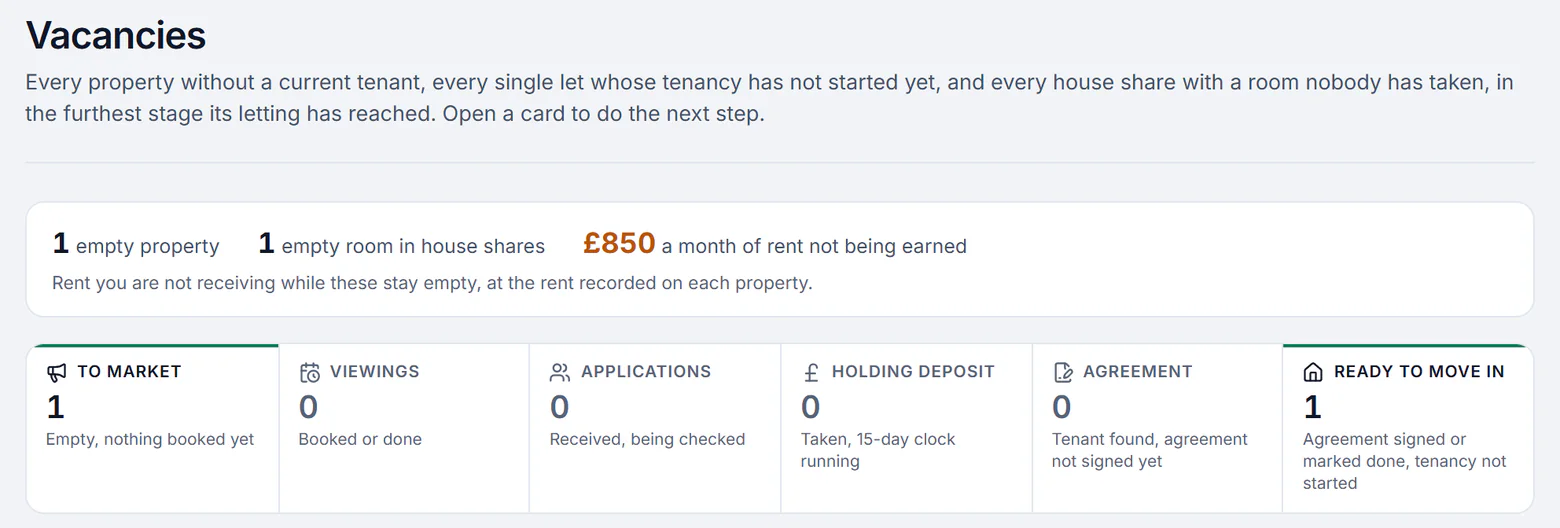
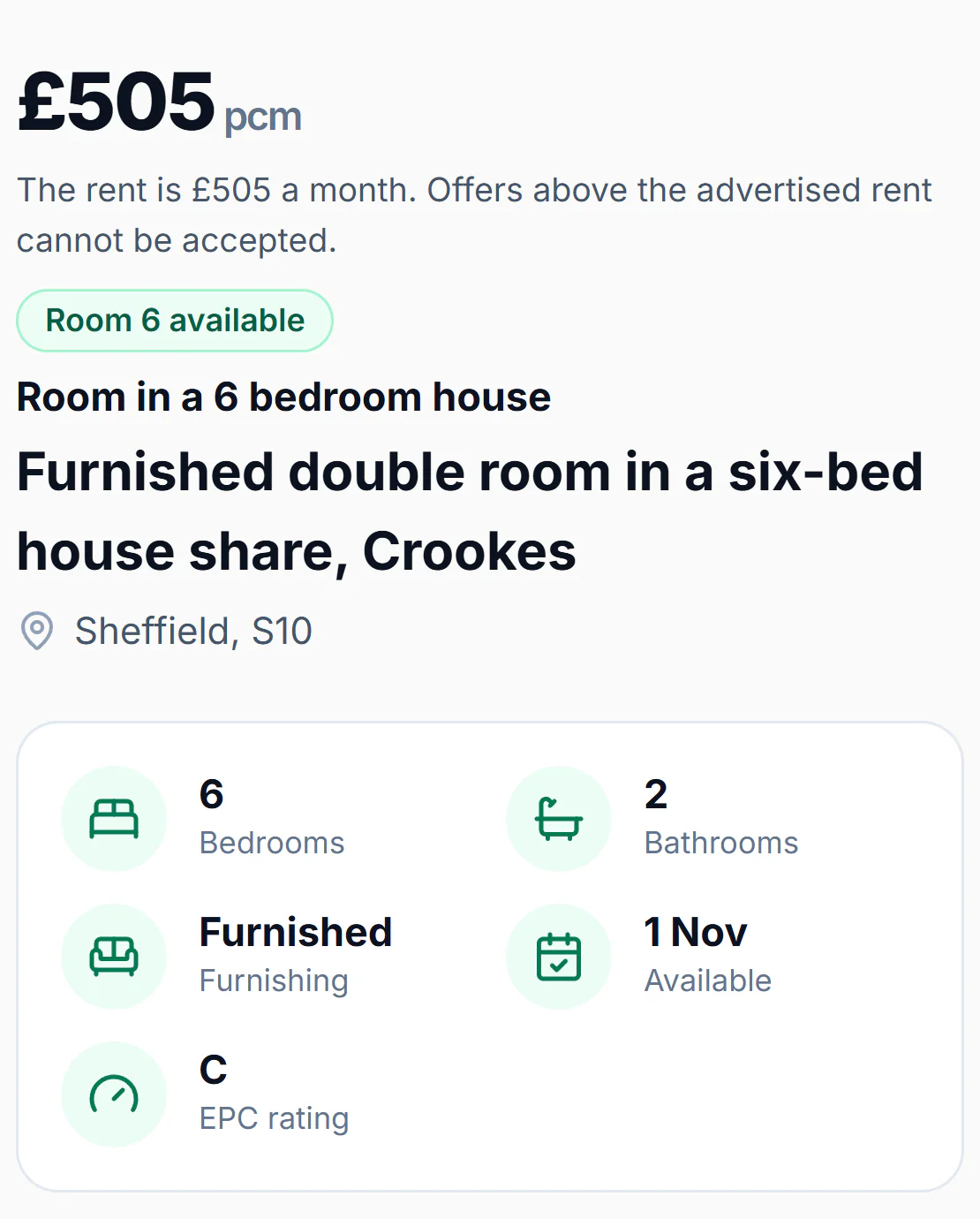
Vacancies shows every room nobody has taken and how far its letting has got, from the advert to the move-in day. Advertise that room on its own, as a room in the shared house at its own rent, and every application lands in one list with the applicant’s income and move date.
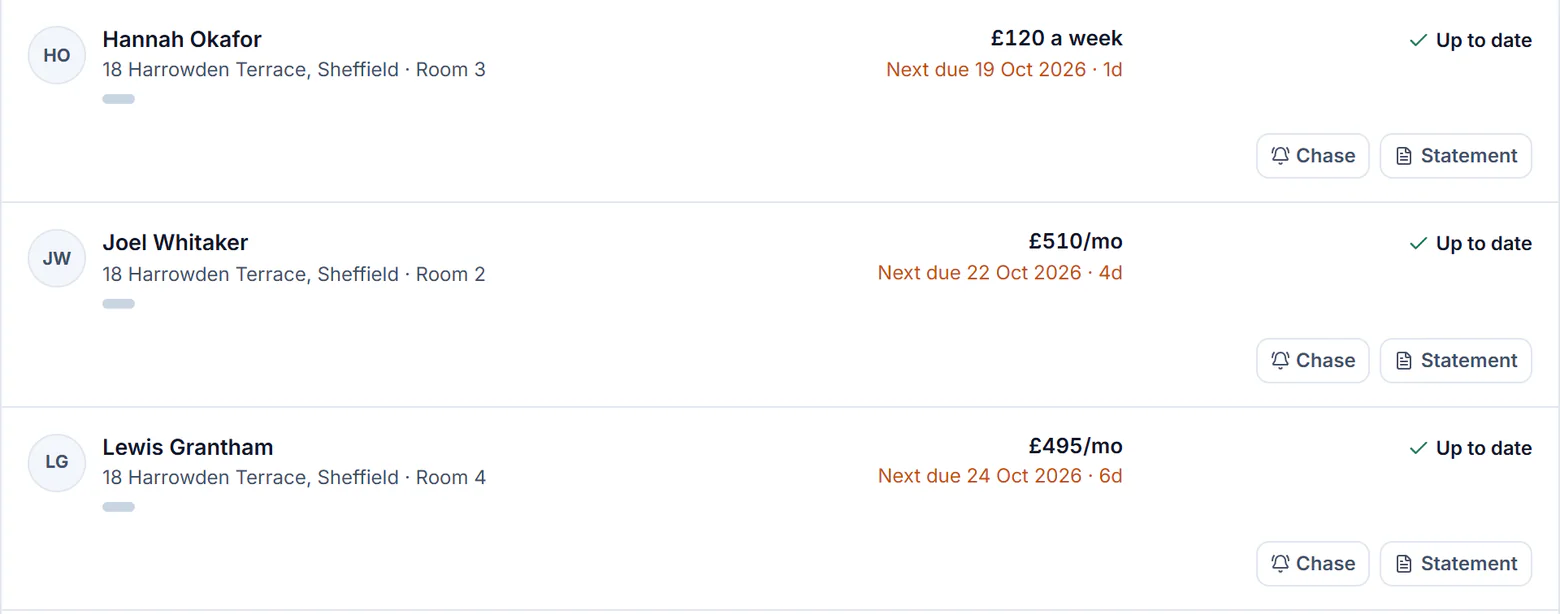
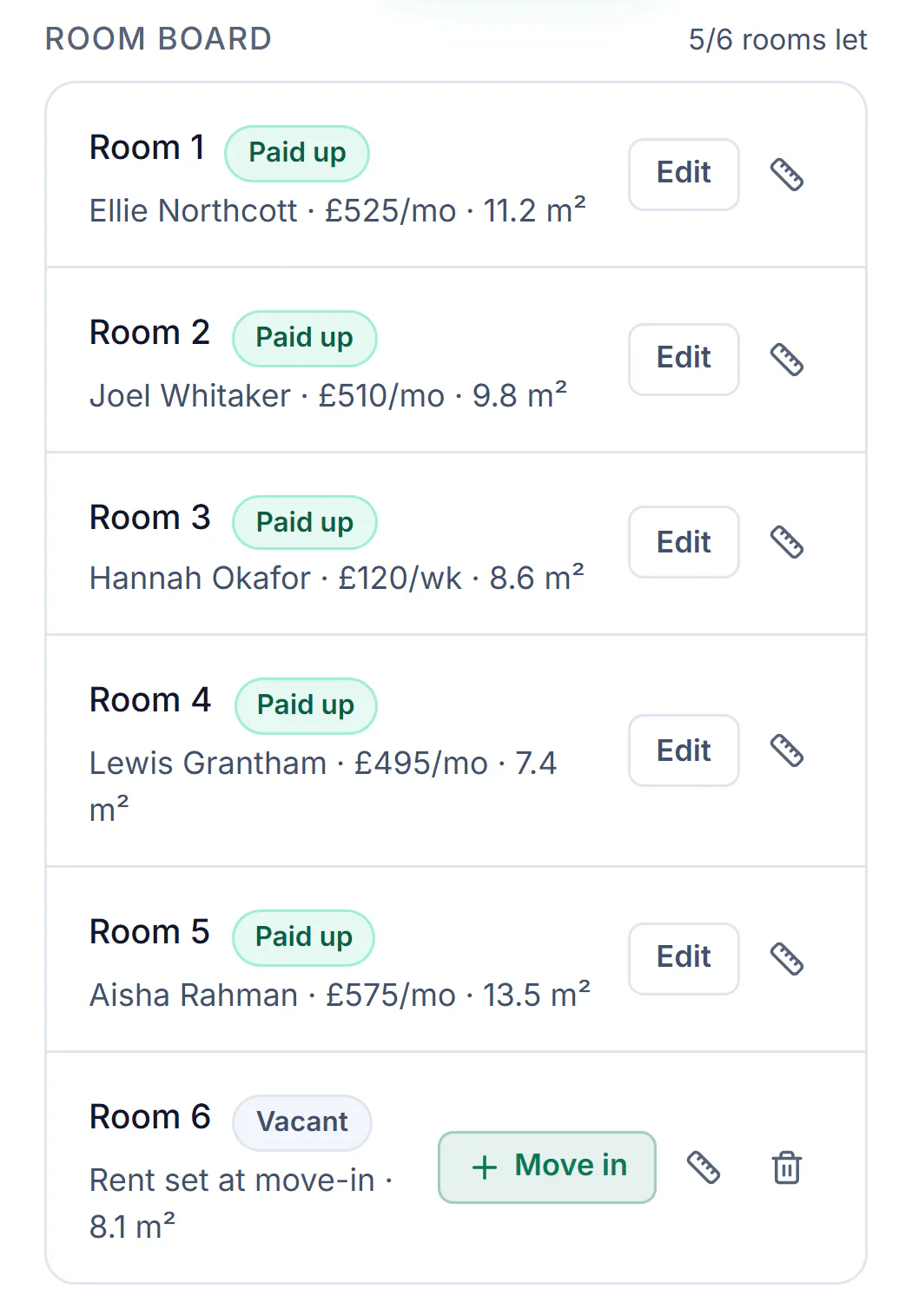
Give each room’s tenancy its own rent and its own cycle: weekly, fortnightly, every four weeks or monthly. Each tenant can pay by Direct Debit into your own bank account, and every room shows as paid up or with what it owes, never as one total for the house.
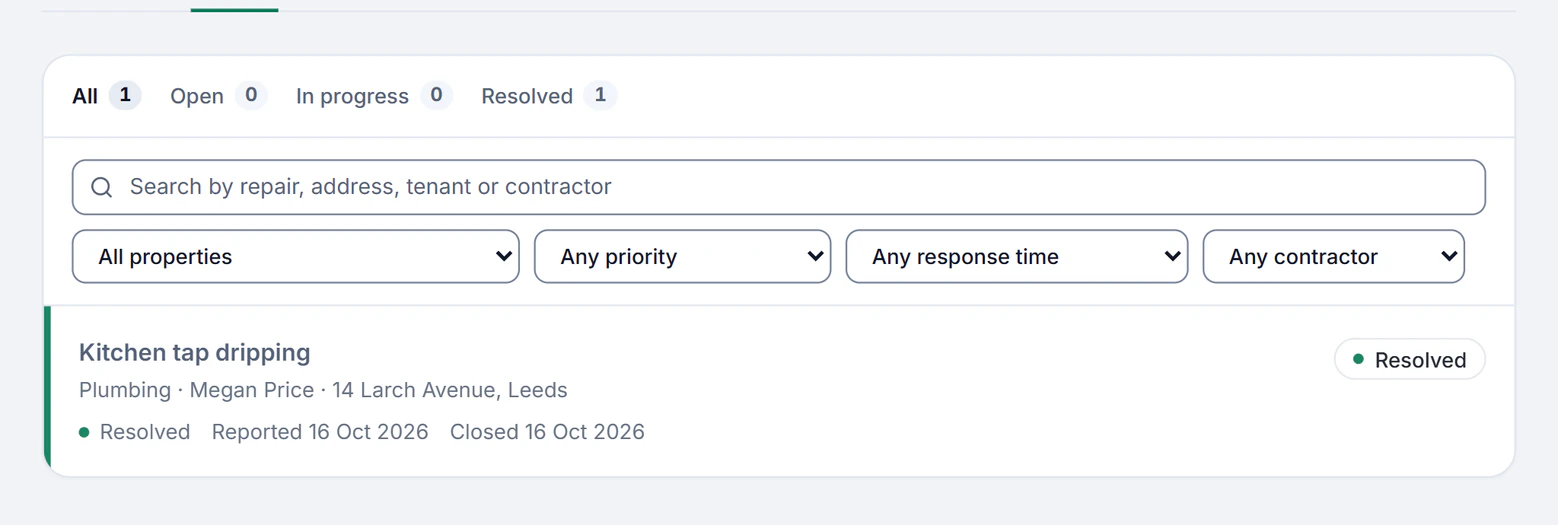
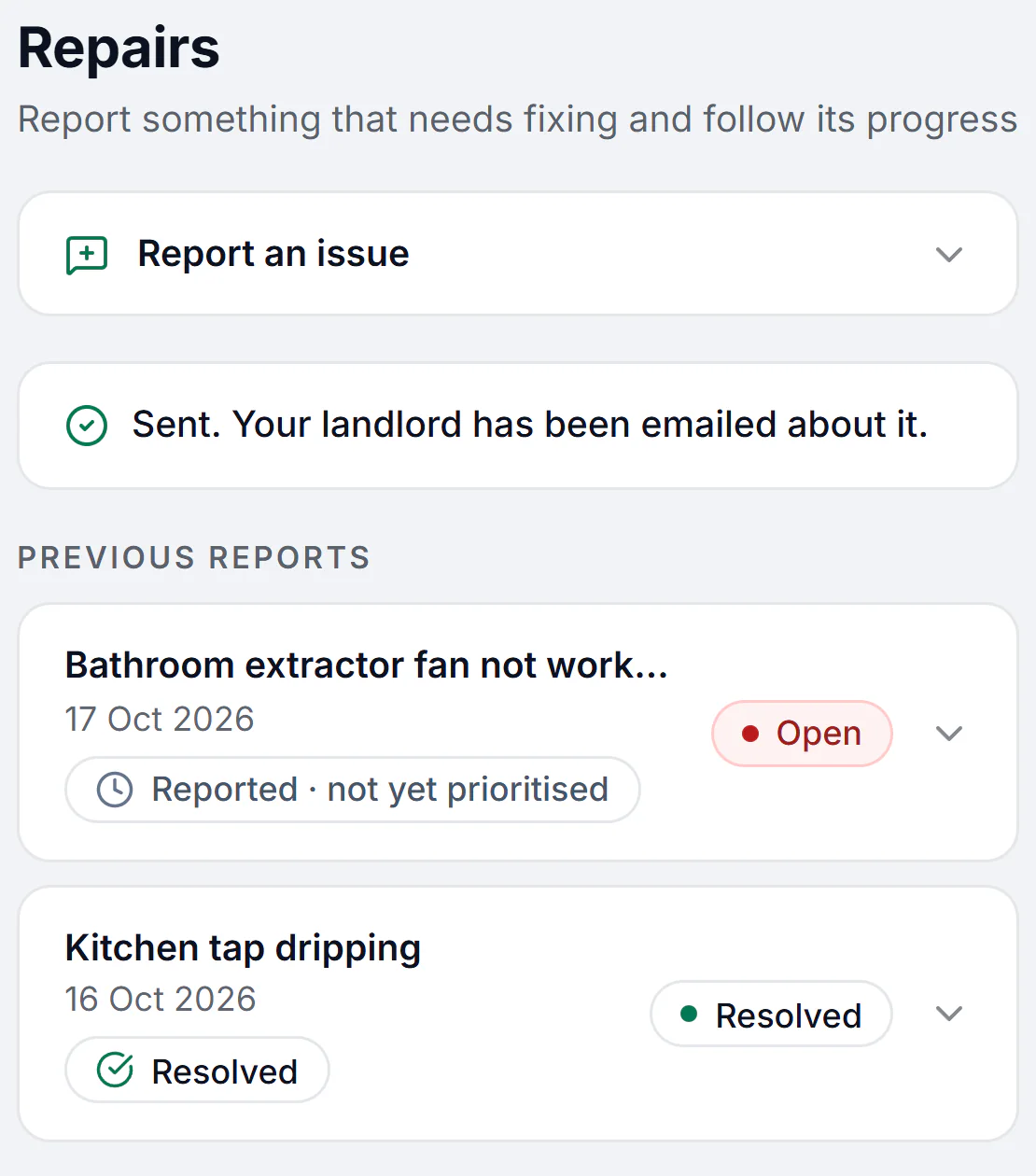
A tenant reports a fault from their phone with photos, with no app to install. It lands in your tenant inbox, goes to your contractor through a job link they quote on, and the tenant follows it until it is resolved.
Sample account with made-up details, 16 and 17 Oct 2026
The house’s figures, kept straight.
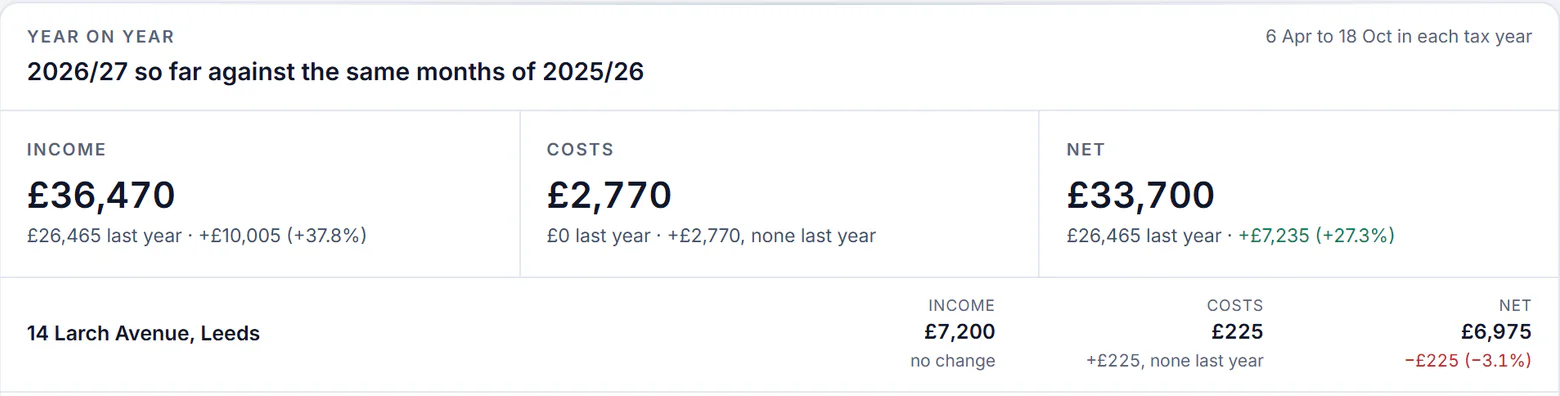
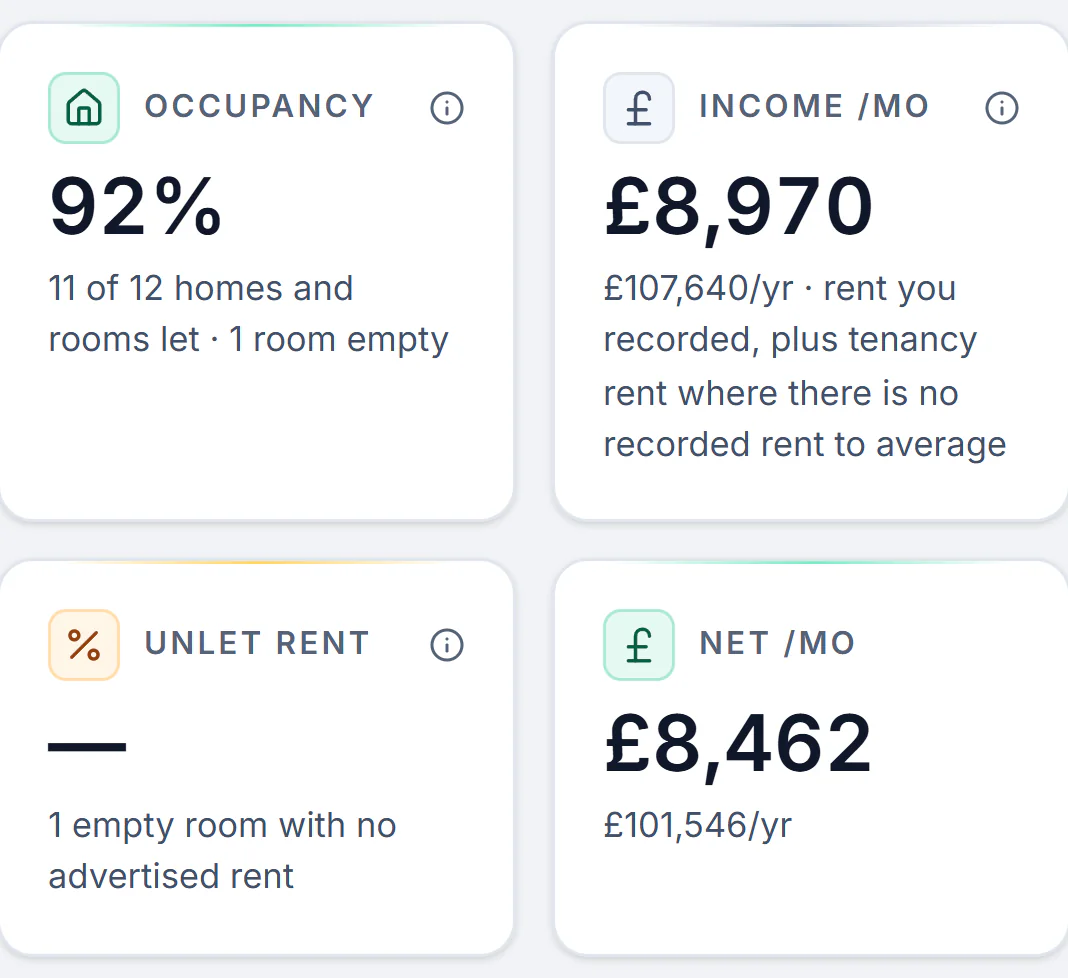
Insights counts occupancy room by room, so one empty room shows in the house’s figures instead of hiding inside a full house. Rent and costs are kept by property and tax year, and the year so far is set against the same months of the last.
Each room’s tenant sees their own rent, reports repairs, messages you and finds their documents, with no app and no password, and nothing about the other rooms.
In the background: the HMO licence with a reminder before it expires, each bedroom’s floor area checked against the licence’s minimum sizes, the alarm check at the start of every room’s tenancy, the fire safety records, and the gas safety, EICR and EPC dates read from your certificates. How compliance is kept
Sample account with made-up details, 16, 17 and 18 Oct 2026
From £7.99 a month, not 12% of your rent.
Plans count properties, not rooms. Single is £7.99 a month for one house however many rooms it has, and Solo £14.99 for up to three, with the same tools on both.
Full management costs 12% to 21.6% of the rent on agents’ own lists: £1,728 to £3,110.40 a year on a rent of £1,200 a month.
£1,728£3,110.40
£95.88
Running that let yourself here costs£95.88a year.
Billed yearly, the Single plan is £63.92.
An agent also goes to the viewings and visits the property for you.
To manage an HMO you run each room as a let of its own, with its own tenant, rent, deposit and dates, and the building as one property, with the licence, fire safety and certificates that belong to the house. Software keeps the two apart in one place, so a late rent or an empty room shows on its own.
Set up the house and its rooms
Add the property as an HMO and say how many rooms it has: each room is created with a place for its rent, tenant, deposit and floor area. A house already kept in a spreadsheet comes in from a CSV, one row per room.
Let each room on its own
When a room falls empty, advertise it on its own as a room in the house, take applications from one link, invite the applicants you like to a viewing and order a reference on the one you choose. The agreement is filled in from your records and signed on the tenant’s phone.
Collect each room’s rent on its own cycle
Set each tenancy weekly, fortnightly, every four weeks or monthly. Each tenant agrees a Direct Debit once, or tells you when they have paid, and each room shows as paid up or with what it owes. Before you set the rents, work out the house’s yield with bills included.
Keep the shared house in repair
Tenants report faults from their phones with photos, the shared kitchen and bathroom included. Each report is on a response clock until it is fixed, and the job goes to your contractor through a link they quote on.
Keep the house’s figures
Occupancy and unlet rent are counted room by room, rent and costs by property and tax year, and the quarterly updates for Making Tax Digital go to HMRC from the same records.
Sample account with made-up details, 16, 17, 18 and 21 Oct 2026
HMO rules for landlords, in brief
The national rules for a house in multiple occupation in England, each from its source. Councils add schemes of their own, so the address decides the rest, and what counts as an HMO is set out in the glossary.
The licence
A house needs a licence if it is rented to 5 or more people who form more than 1 household, some or all of them share a toilet, bathroom or kitchen, and at least 1 tenant pays rent. A smaller house may still need one depending on the area, so check whether your house needs a licence before you let the rooms.
A licensed HMO must keep a room slept in by one person over 10 at 6.51 square metres or more, by two people over 10 at 10.22 or more, and by one child under 10 at 4.64 or more. A room under 4.64 square metres cannot be slept in.
Full management by a letting agent costs 12% to 21.6% of the rent on agents’ own published lists, a share of every room’s rent. A spreadsheet costs nothing, but it collects nothing and reminds you of nothing. LetCompliance has one price per portfolio size, never per room: £7.99 a month covers a house however many rooms it has. To put a figure on yours, work out what an agent would take from your rent.
A letting agent
What it costs
12% to 21.6% of the rent
Viewings and visits
The agent goes for you
Each room’s rent
Collected by the agent
Dates and reminders
As the management agreement sets out
A spreadsheet
What it costs
Nothing
Viewings and visits
You go
Each room’s rent
Chased and typed in by you
Dates and reminders
Only the ones you set yourself
LetCompliance
What it costs
From £7.99 a month for one property
Viewings and visits
You go, with the invitations sent from the app
Each room’s rent
Collected by Direct Debit into your own account, room by room
Dates and reminders
A reminder before each certificate and licence date
Questions HMO landlords ask
About letting by the room, the rent, the rules and the price. Something else? Ask a question
What is HMO management software?
Software that runs a house in multiple occupation at the level it is let, the room. It gives each room its own tenant, rent, deposit and dates, shows which rooms are empty, keeps each room’s arrears apart and holds the house’s licence and safety dates against the building. LetCompliance does that alongside the rest of the let, from the advert to the tax figures.
How do you manage an HMO?
Run each room as its own let and the building as one property. Each room needs its tenant checked, a tenancy signed, its rent collected and its deposit protected. The house needs its licence where one applies, its fire safety kept up, its alarms checked as each tenancy starts and, in England, the manager’s contact details on display. LetCompliance keeps both in one login, with a reminder before each date. A shared house on one joint tenancy works too: set the house as one joint tenancy and put every sharer on it, with one rent, one deposit and one agreement.
Can HMO software track weekly rent for each room?
Yes. In LetCompliance each room’s tenancy has its own rent and cycle, weekly, fortnightly, every four weeks or monthly, so a room let by the week is charged every 7 days while the room next door stays monthly. Each room shows whether it is paid up or what it owes, and a weekly rent is also kept as its monthly figure, 52 weeks divided by 12, so the house’s totals stay right.
Can I charge different rent for each room?
Yes. Each room carries its own rent and its own deposit, so an en-suite double and a small single are never averaged into one figure. Room rent is recorded in the same ledger as any other let and counts towards the house’s income.
Who pays the bills in an HMO?
Whoever the tenancy says. Many rooms are let with bills included, and then the agreement should name each bill the rent covers, because bills included settles nothing until the bills are listed. The LetCompliance tenancy agreement records which of council tax, water and sewerage, gas, electricity, a TV licence and broadband the rent includes, and prints them in the agreement.
Do I need an HMO licence?
In England a house needs one if it is rented to 5 or more people who form more than 1 household and share a toilet, bathroom or kitchen, and at least 1 of them pays rent (GOV.UK, read on 18 October 2026). A smaller house may still need one depending on the area, so the reliable answer for an address is the council’s. LetCompliance holds the licence with a reminder before it expires.
What size does a bedroom in an HMO have to be?
In a licensed HMO in England a room slept in by one person over 10 must be at least 6.51 square metres, by two people over 10 at least 10.22, and by one child under 10 at least 4.64. LetCompliance warns when a room’s recorded floor area is under the size for the way it is let.
What happens when a tenant leaves one room?
That room’s tenancy ends on its own date and the others carry on. The room shows as vacant on the room board and in Vacancies, and any asking rent recorded for it counts as unlet rent until it is let again. It can be advertised on its own as a room in the house.
How do I see which room is behind on rent?
Look at the room, not the house. The room board on the property lists every room with its tenant and rent, and shows each let room as paid up or with the amount behind, worked out from that tenancy’s own charges and payments on its own cycle.
Does an HMO landlord need Making Tax Digital?
Yes, once your qualifying income is over HMRC’s threshold: over £30,000 on your 2025 to 2026 tax return means using it from 6 April 2027. HMRC counts the rent before expenses, so one house let by the room can reach it. LetCompliance is recognised by HMRC for Making Tax Digital and sends the quarterly updates from the rents and costs already recorded, on every paid plan.
Is there a trial?
Yes. Every new account gets 3 days with no card and no property limit, so the whole house and its rooms can go in. Making Tax Digital and a few other paid tools open once you choose a plan.
How much does HMO management software cost?
LetCompliance counts properties, not rooms, so a house is one property however many rooms it has. Single is £7.99 a month for one, Solo £14.99 for up to three, Portfolio £19 for up to ten, Portfolio Plus £29 for up to twenty and Professional £49 with no limit, Making Tax Digital included on each. The free plan is £0 for one property and keeps rent tracked on the tenancy with receipts, the tenant portal with repairs, the certificate dates with email reminders and the 0 to 100 compliance score. Making Tax Digital and Direct Debit collection need Single.
Hi there 👋
How can LetCompliance help?
Send a message, read what's new, or find a quick answer below.